


FAQ Categories
Can I acquire images from multiple cameras in a single StViewer window?
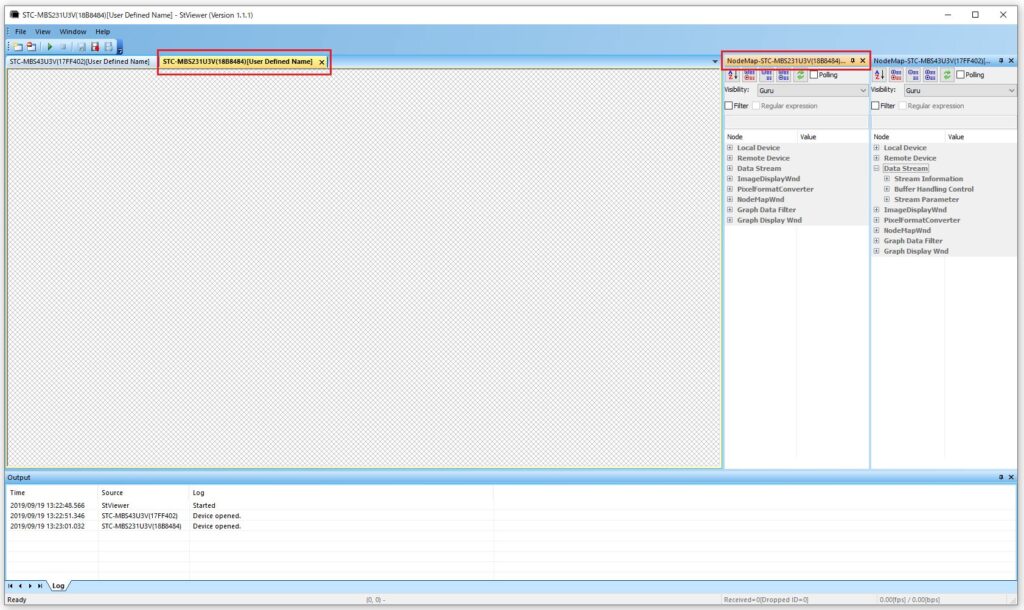
You can acquire and display images from multiple cameras within a single StViewer window by following the steps below:
(1) Launch StViewer.
(2) In the Device Selection screen, select Camera 1 and click OK.
(3) In StViewer, go to File → Open, select Camera 2, and click OK.
For Camera 3 and beyond, repeat step (3) for as many cameras as needed.
(4) In StViewer, go to Windows → Tile, and select either Horizontal or Vertical.
Horizontal: Multiple camera views are displayed side by side in one StViewer window.
Vertical: Multiple camera views are displayed vertically in one StViewer window.
Note on camera settings:
While you can view multiple cameras in one StViewer window, camera settings must be configured individually per camera. To configure a specific camera, select its settings tab in the StViewer window and adjust the parameters accordingly.
Contact
For any questions about our products and services,
including specifications and technical support, please feel free to contact us.
Headquarters,
Sales Department+81 46236-6660
Newsletter Subscription
Stay up-to-date with our latest news, including new product releases,
information on discontinued products, and upcoming trade shows.