


FAQ Categories
Can I change the display units in the drawing function of StViewer?
You can configure the display unit, decimal precision, and scaling factor as follows:
Change display unit
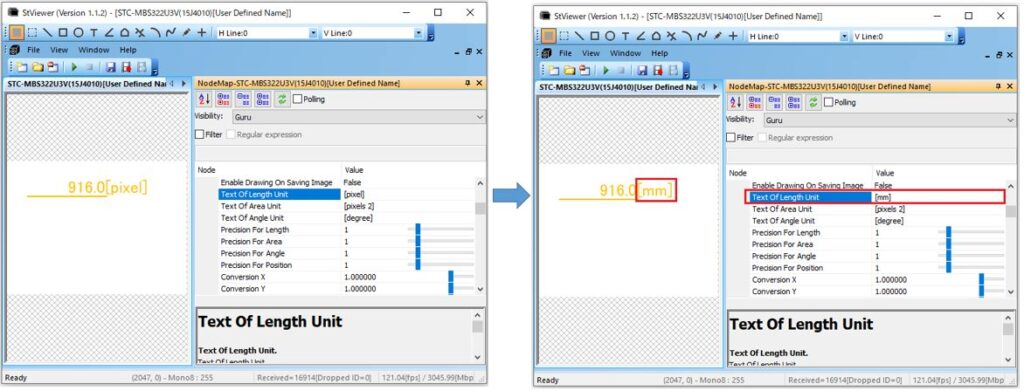
Go to ImageDisPlayWnd -> Drawing Tool -> Text Of Length Unit and modify the text string.
Example: Change display unit from [Pixel] to [mm].
Change number of decimal places
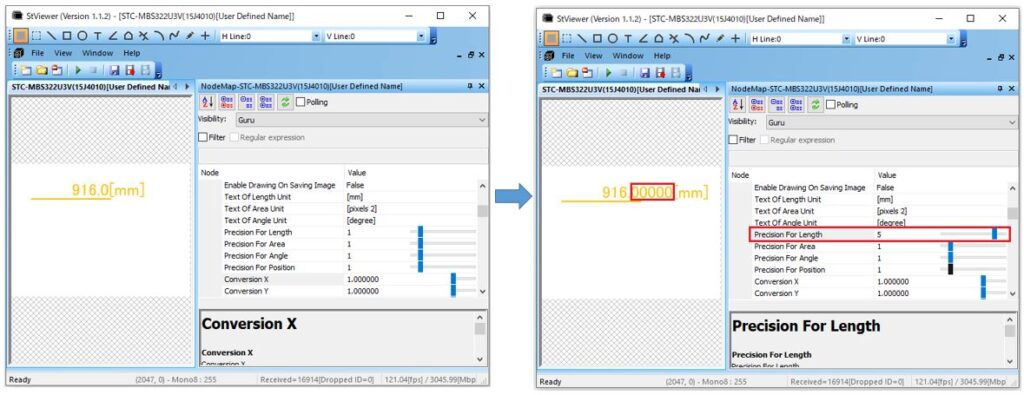
Go to ImageDisPlayWnd -> Drawing Tool -> Precision For Length and adjust the numeric value.
Example: Change decimal places from [1] to [5].
Change scaling factor
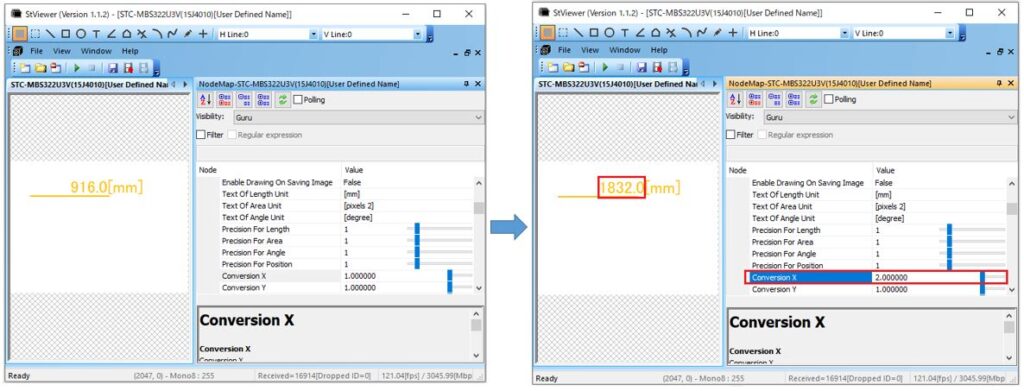
Go to ImageDisPlayWnd -> Drawing Tool -> Conversion X, Conversion Y and adjust the numeric values.
Example: Change scaling factor from [1] to [2].
Saving drawing settings:
Go to File -> Configuration File Setting -> DisPlay Image Window and choose one of the following save options:
| Save category | Descriptions |
| none | settings are not saved |
| all cameras and all files | same settings are saved for all cameras |
| each model of camera and each type of file | same settings are saved for each camera model |
| each camera and each file | settings are saved individually for each camera |
Contact
For any questions about our products and services,
including specifications and technical support, please feel free to contact us.
Headquarters,
Sales Department+81 46236-6660
Newsletter Subscription
Stay up-to-date with our latest news, including new product releases,
information on discontinued products, and upcoming trade shows.